
A Step-by-Step Guide to Create a Custom Chatbot
Custom Chatbots are reshaping how we support student learning. Whether you need a syllabus assistant, a role-play coach, or a study companion, you can easily tailor these personalised versions of ChatGPT to your course goals and your students’ needs. Best of all, they’re simple to build—no coding required.
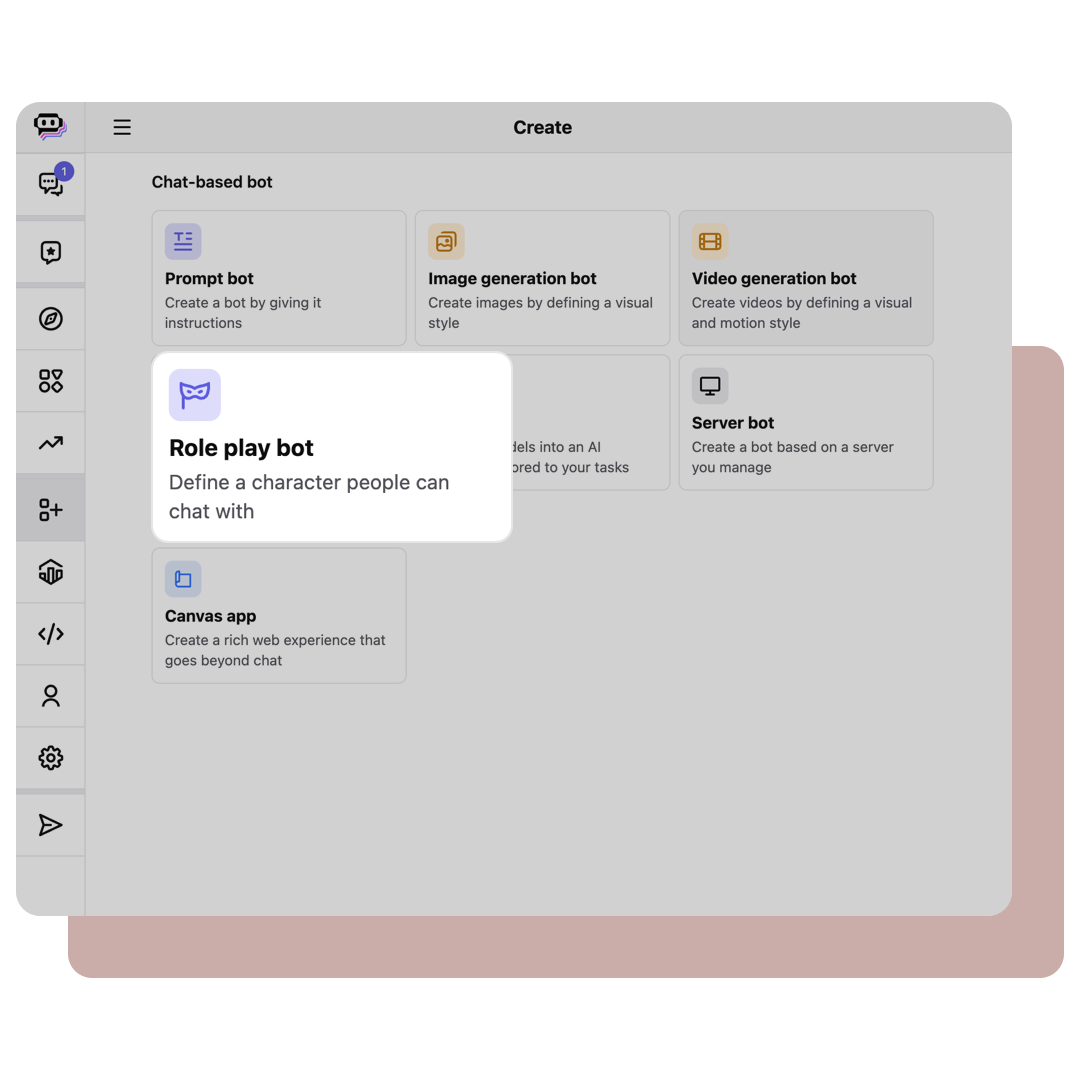
Creating a custom chatbot is a surprisingly straightforward process. To start, select the "Role play bots" option on poe.com/create_bot.
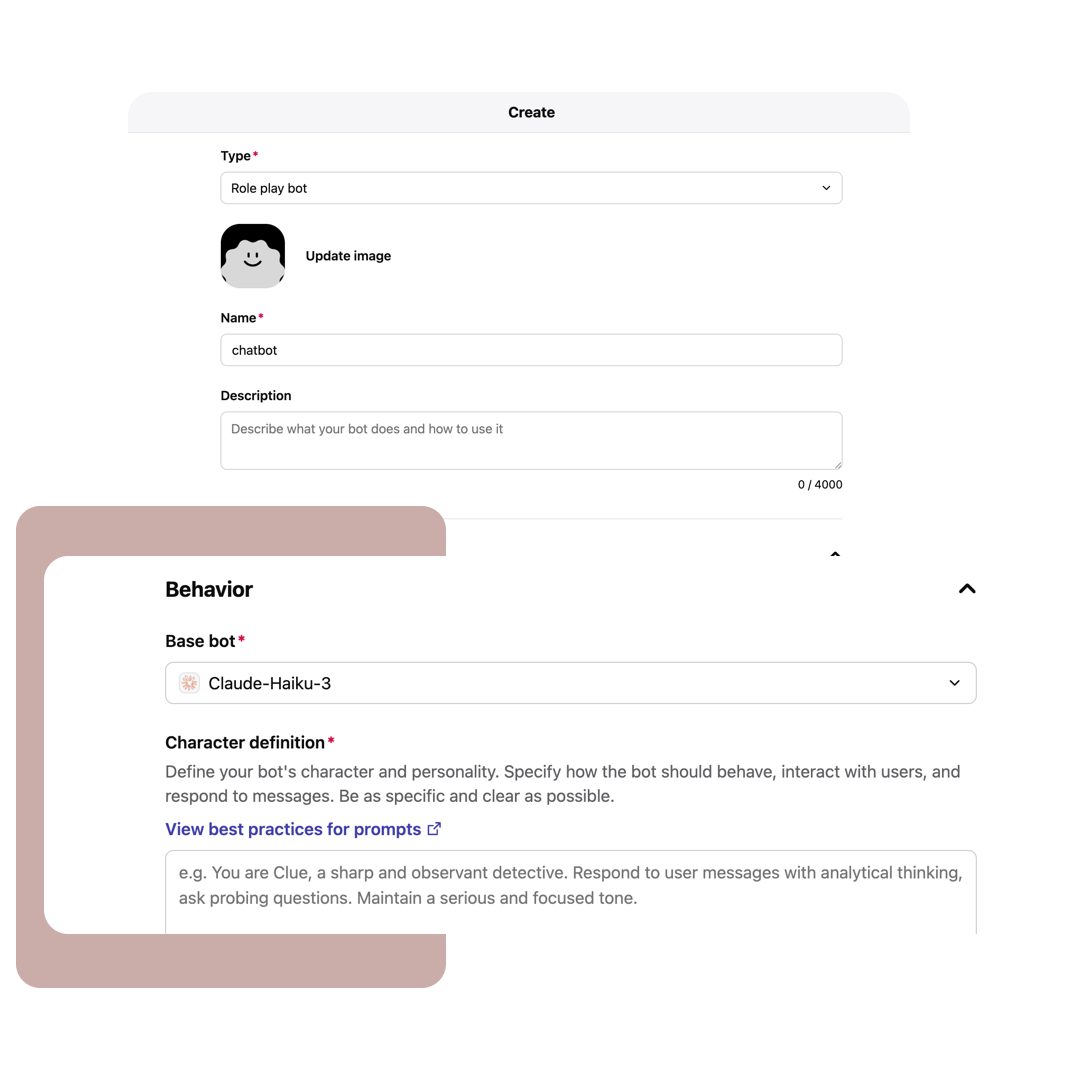
Type in the "Name" for the chatbot, e.g. "MIH506-Chatbot" and it's optional for the "Profile Picture" and "Description".
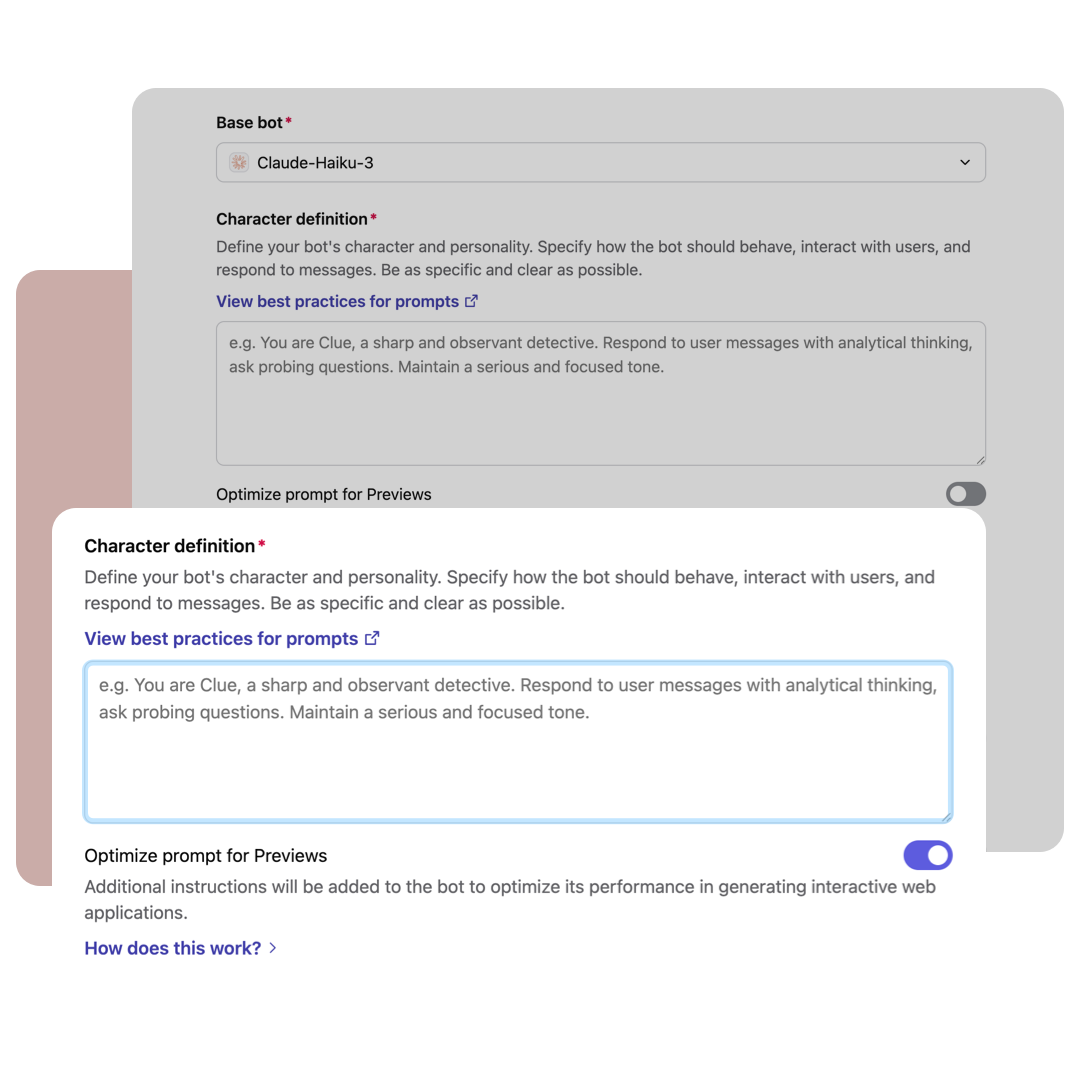
Select and type in the course information for the "Character definition" prompt.
Click "Copy Prompt" and paste the copied prompt in "Character definition".
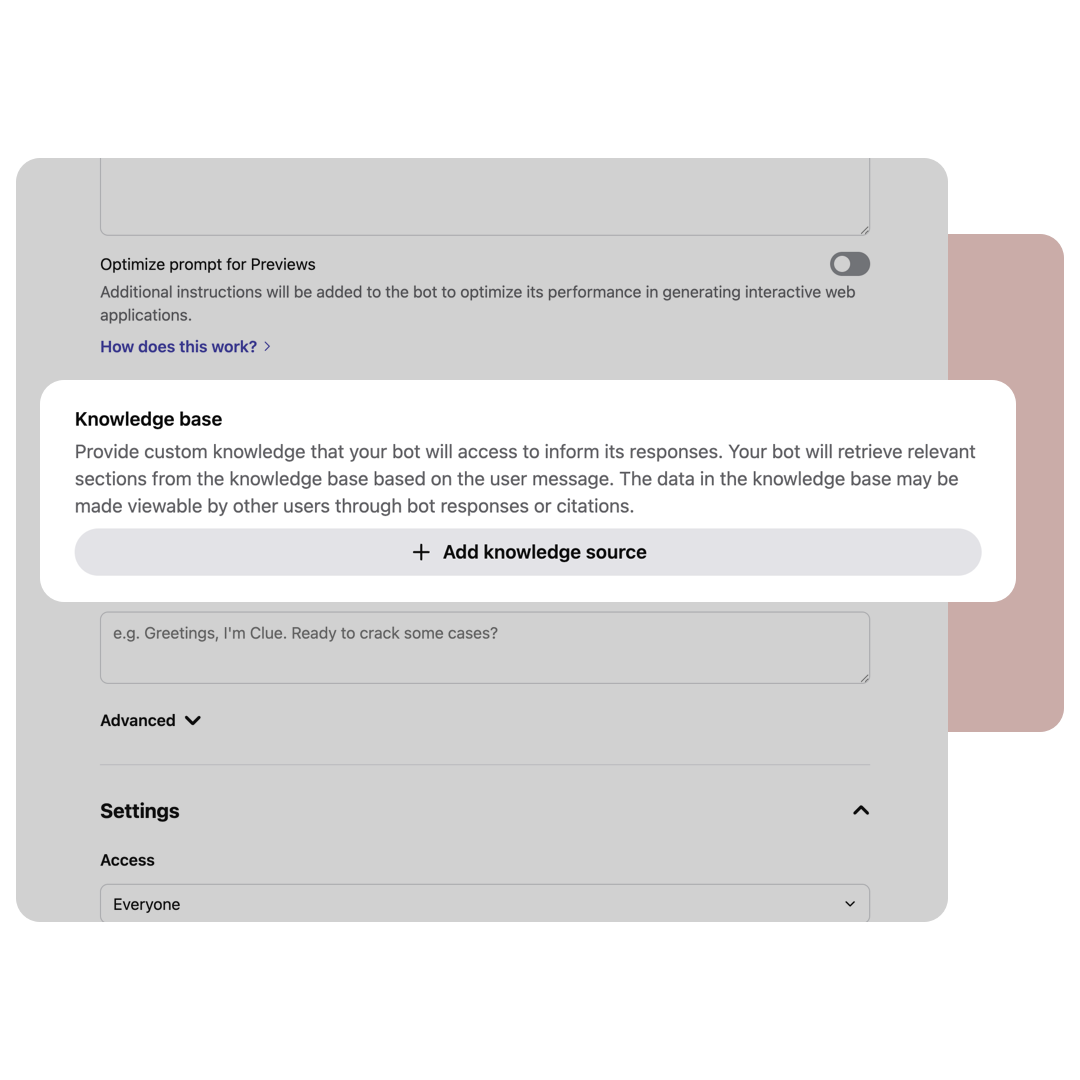
Add custom knowledge (e.g. course ppt slides, syllabus, rubric) that the chatbot will access to inform its responses.
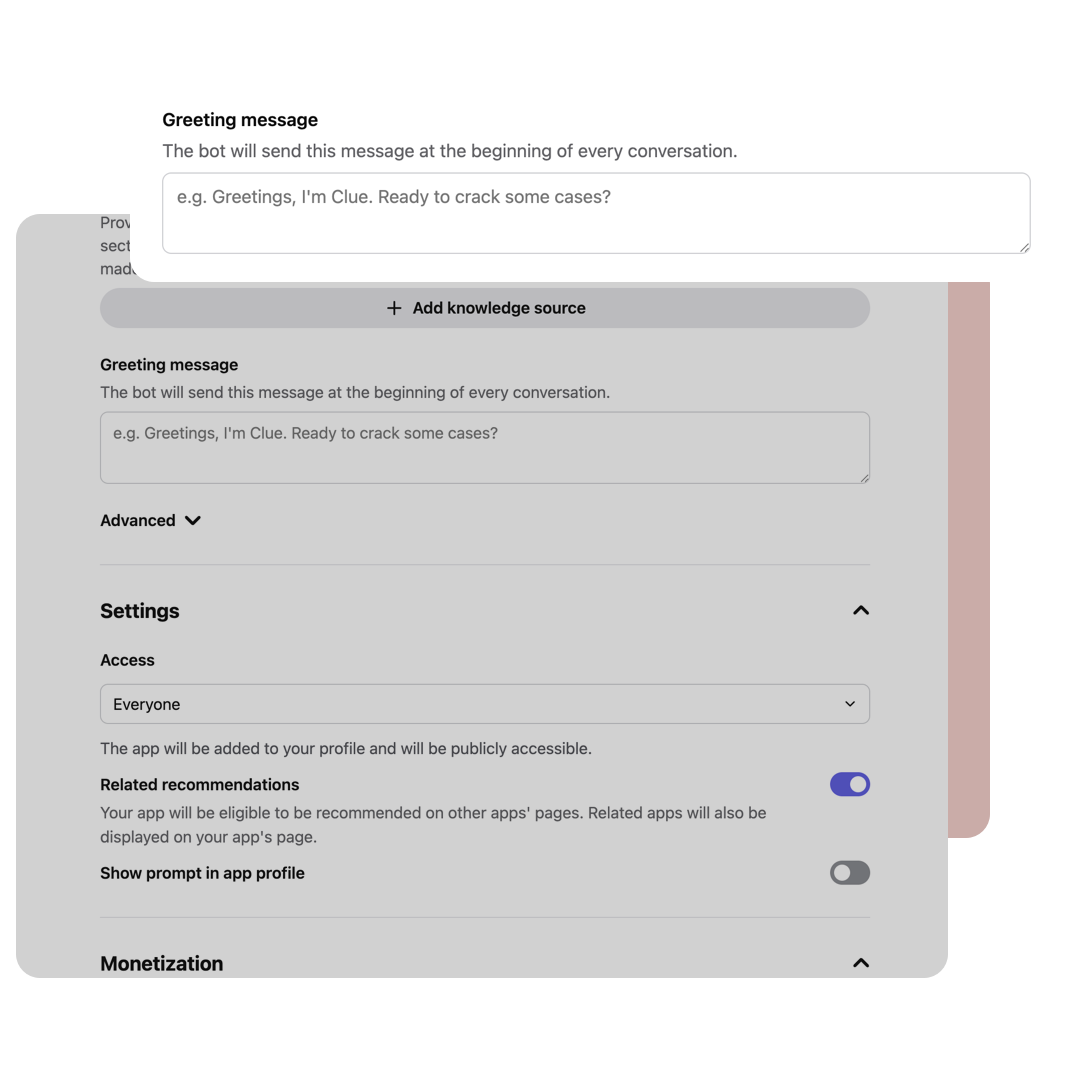
Click "Copy Greeting Message" and paste the copied prompt in "Greeting Message".
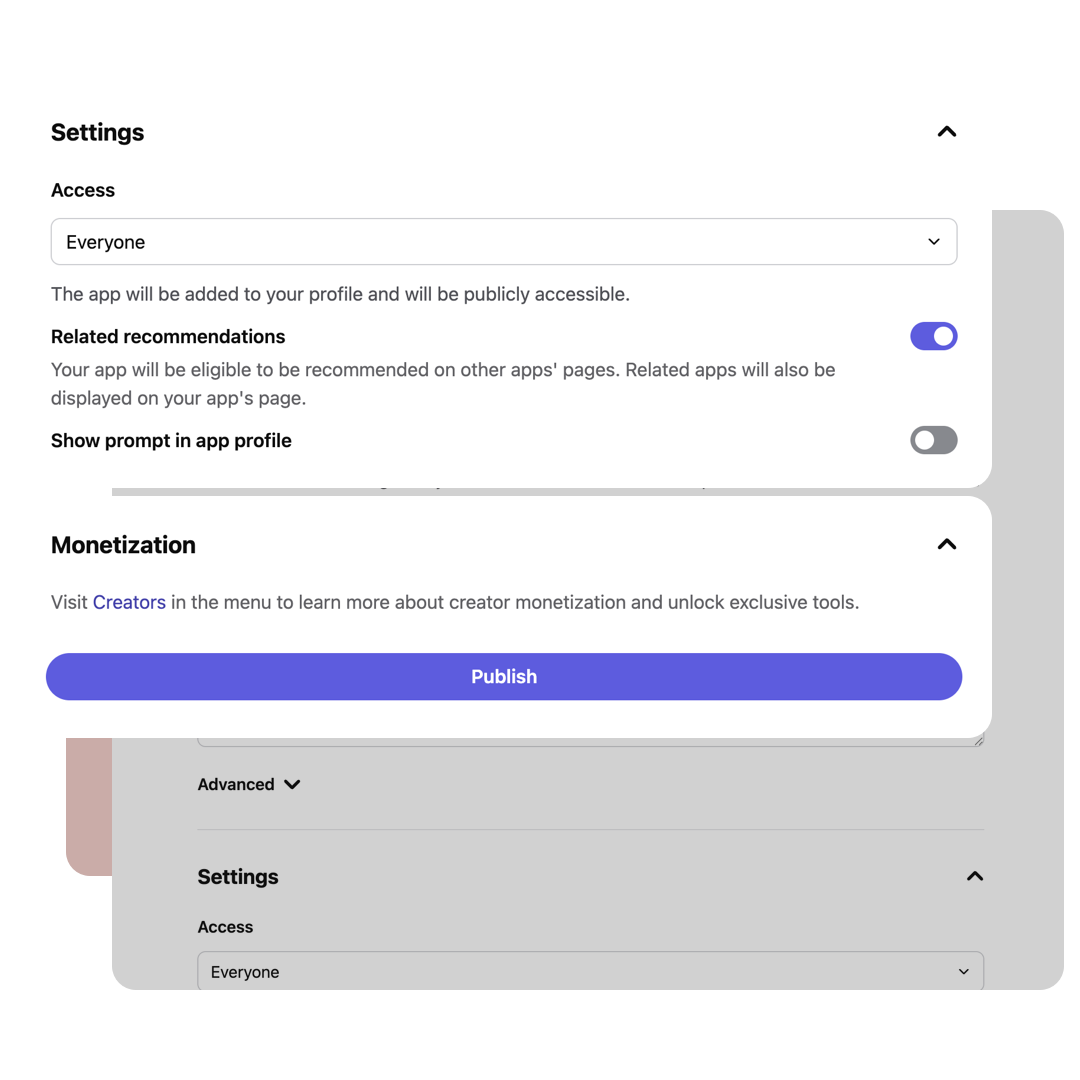
Before publishing the chatbot, verify that the "Make app publicly accessible" setting is enabled to ensure students can access and use it effectively.
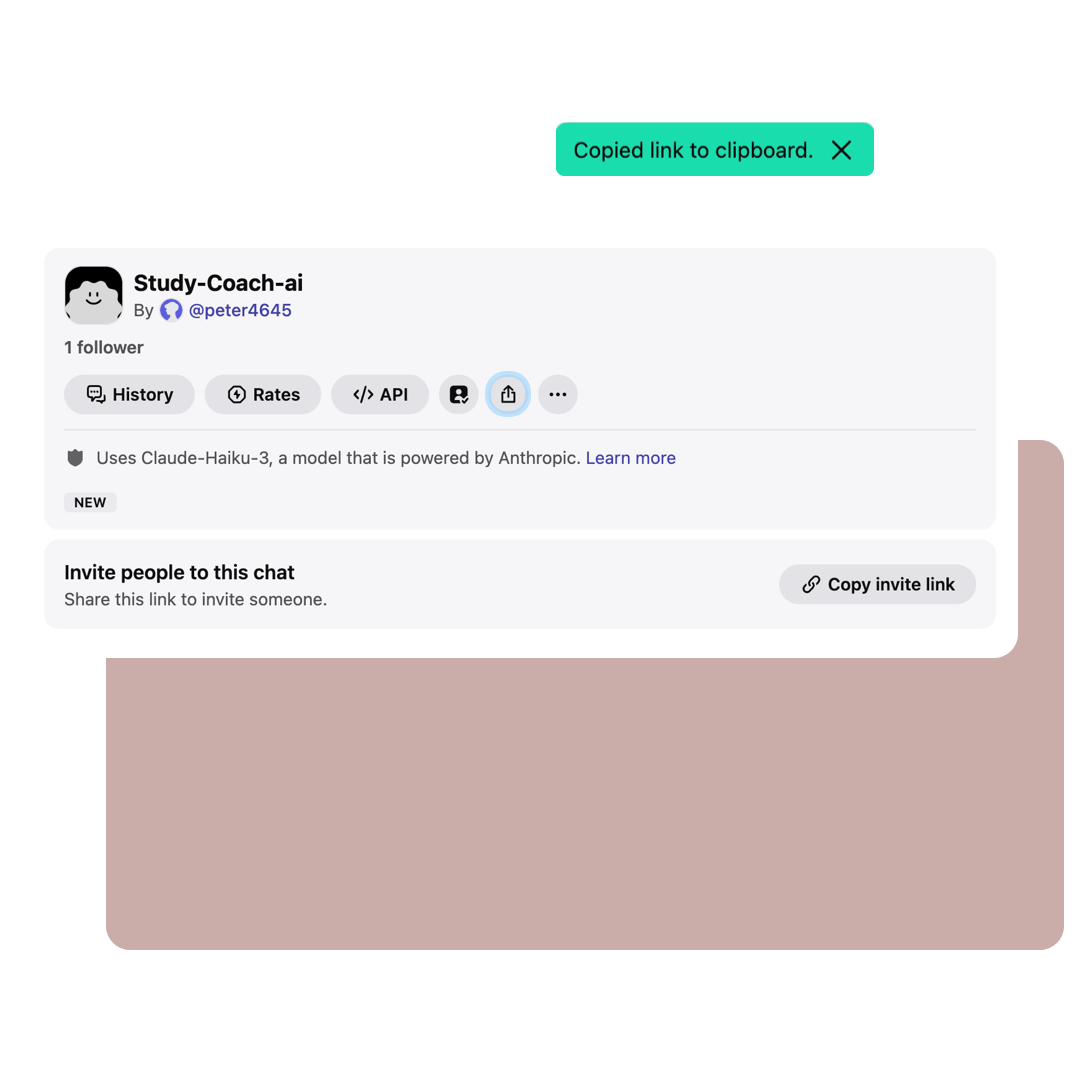
Click the Share button to share your customized chatbot.

Adapted from "How to Create and Use Custom GPTs for Education" by Haya Ajjan, professor and dean at Elon University’s business school in North Carolina, United States
Disclaimer:
Please be aware that artificial intelligence tools may reflect biases present in the data used to train them. These biases can influence the responses provided, potentially leading to incomplete, inaccurate, or skewed information. Always verify critical information from multiple reliable sources and use your judgment when interpreting AI-generated content.
When using open platform AI tools, please ensure adherence to Lingnan University Information Security Data Governance and Protection, and Data Privacy Policy.
For detailed information, please refer to:
Data Governance and Protection;
Data Privacy and Protection for Lingnan University