
Customised Lesson Planning
IDEAL‑Gen.AI supports problem‑based learning by enabling educators to quickly design customised problems, activities, and assessments aligned with inquiry‑driven learning goals. The AI‑driven instructional design tool helps create adaptable scenarios and prompts for diverse levels and contexts, reducing preparation time while enriching learning. By supporting structured yet flexible problem‑based activities, IDEAL‑Gen.AI enhances student engagement and strengthens critical thinking and solution‑building skills.
Creating a Customised Learning Activity, Lesson Plan, and Assessment Task
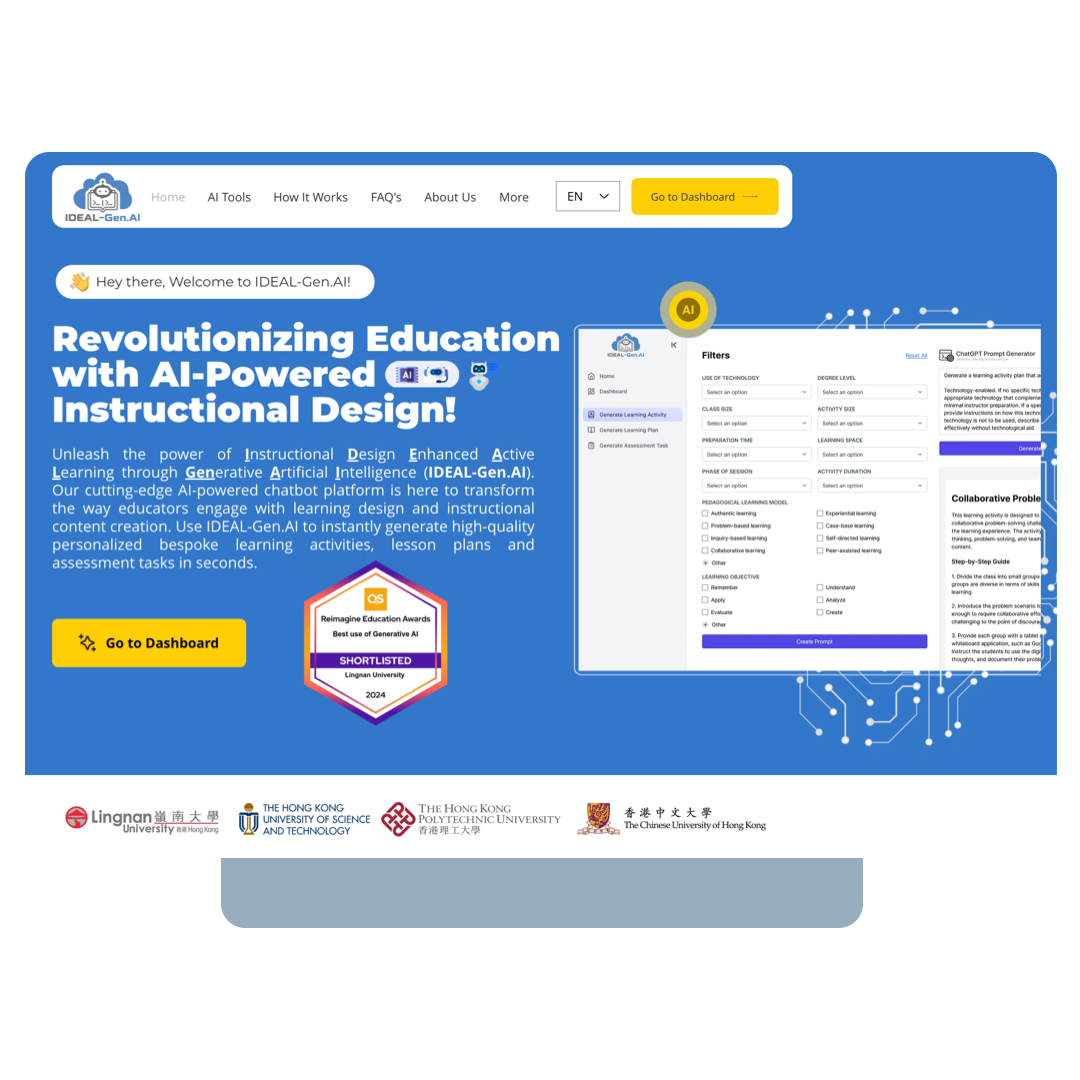
Creating a customised learning activity is a surprisingly straightforward process. To begin, access www.ideal-gen.ai and click "Go to Dashboard".
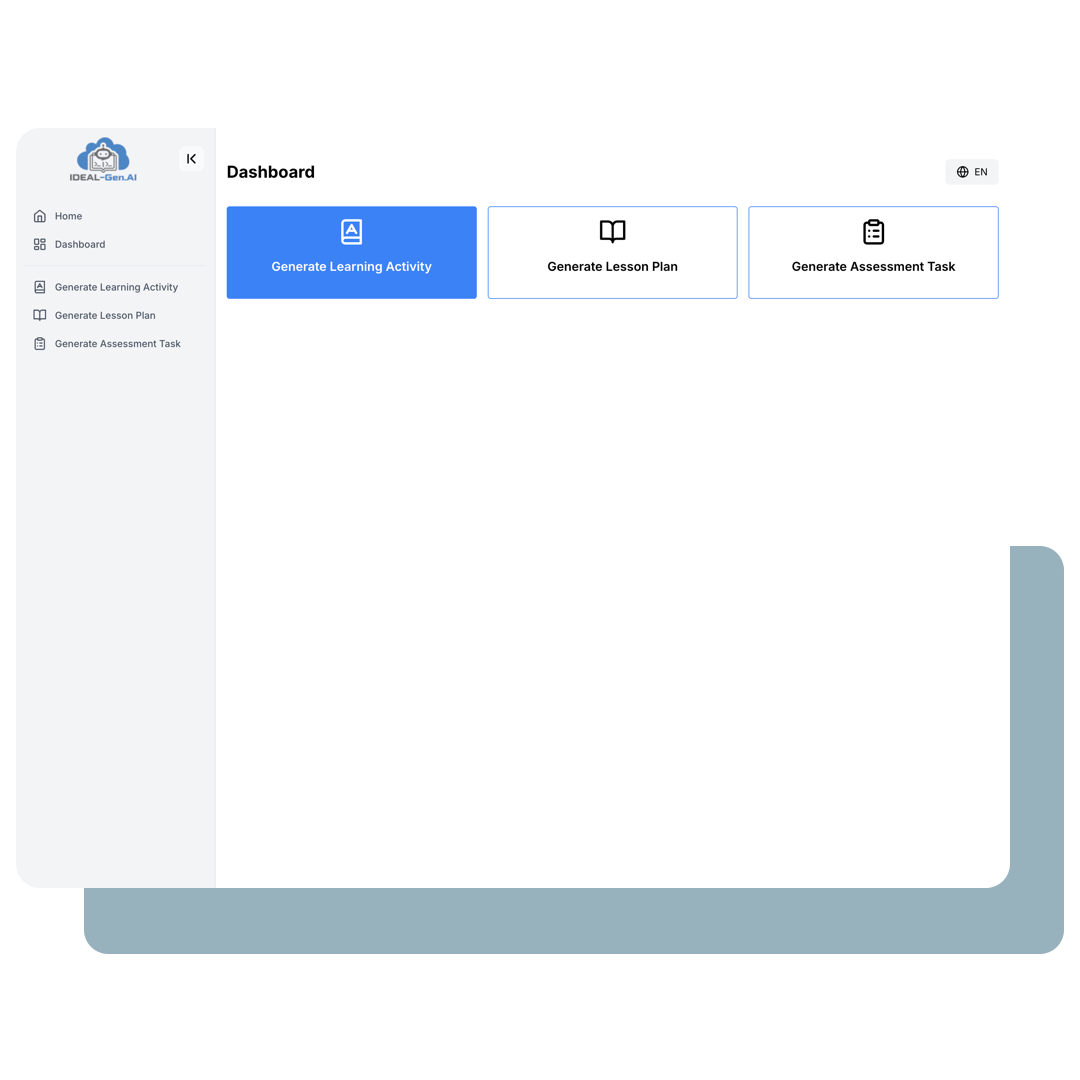
I. Generate Learning Activities
Click "Generate Learning Activities".
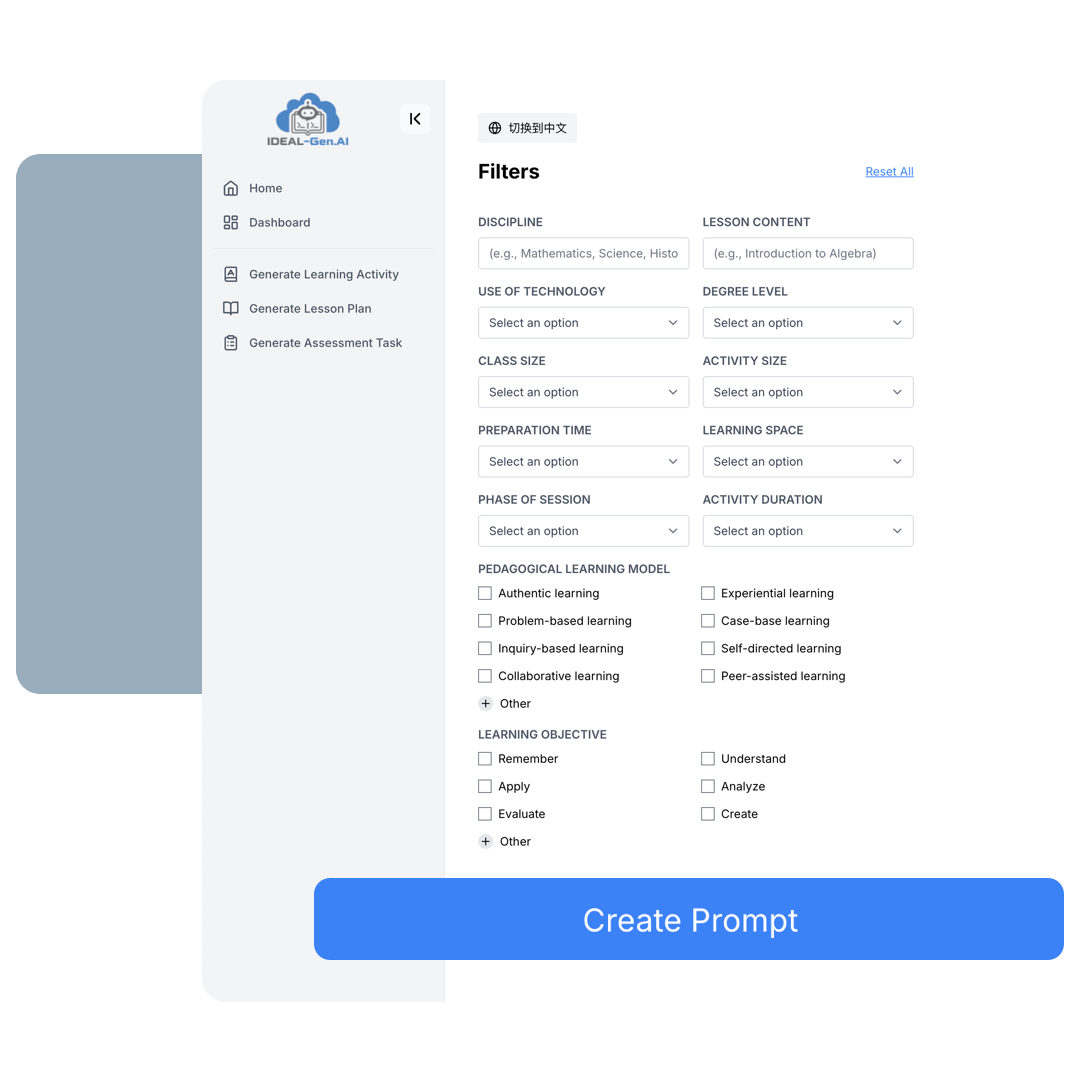
Step 1: Define Content and Pedagogy
- Enter the discipline and learning content.
- Select the use of technology, degree level, class size, activity size, preparation time, learning space, phase of session, activity duration, pedagogical learning model, and learning objective.
- Click "Create Prompt".
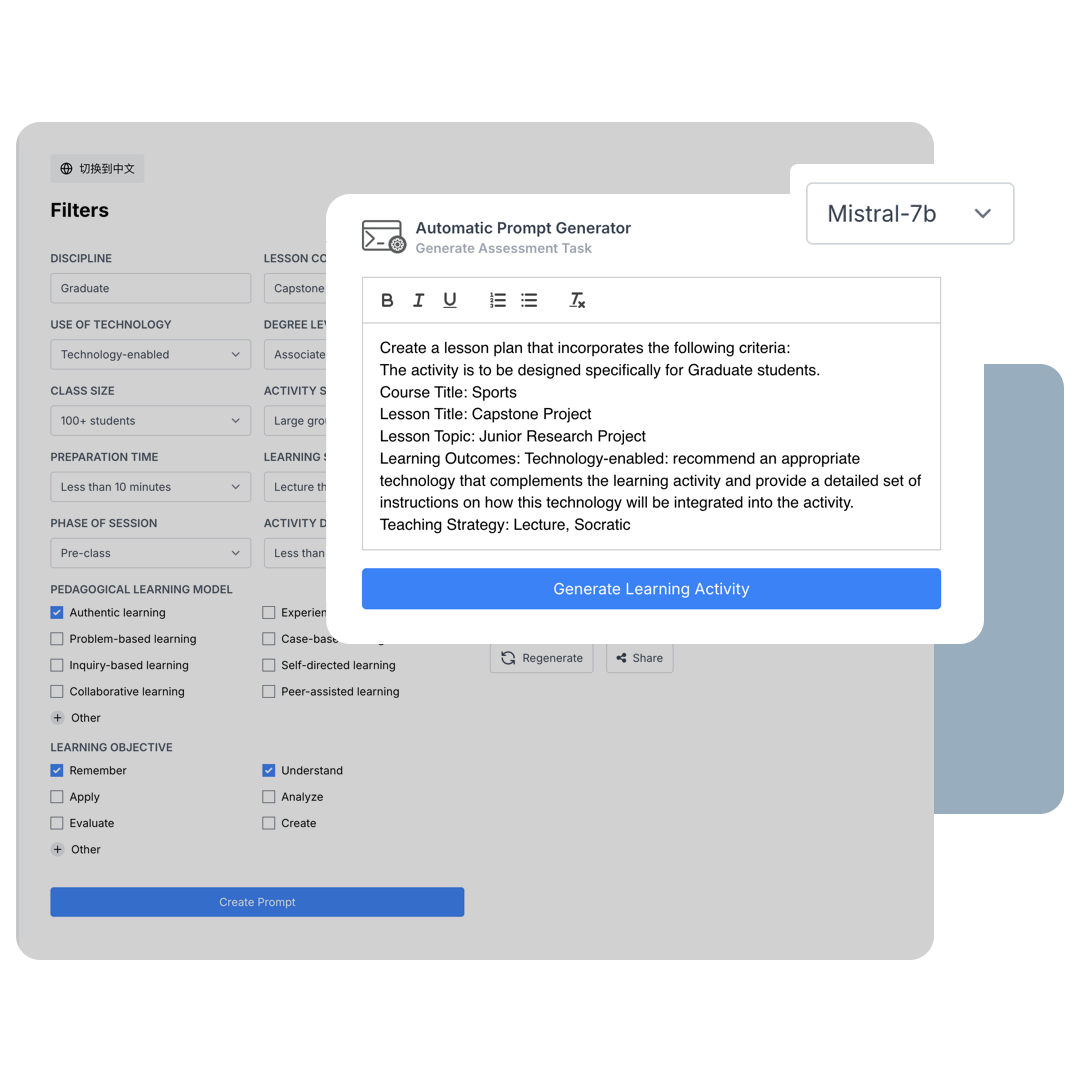
Step 2: Choose Model and Settings
- Select the language model.
- A prompt will be generated and can be adjusted before clicking "Generate learning activity".
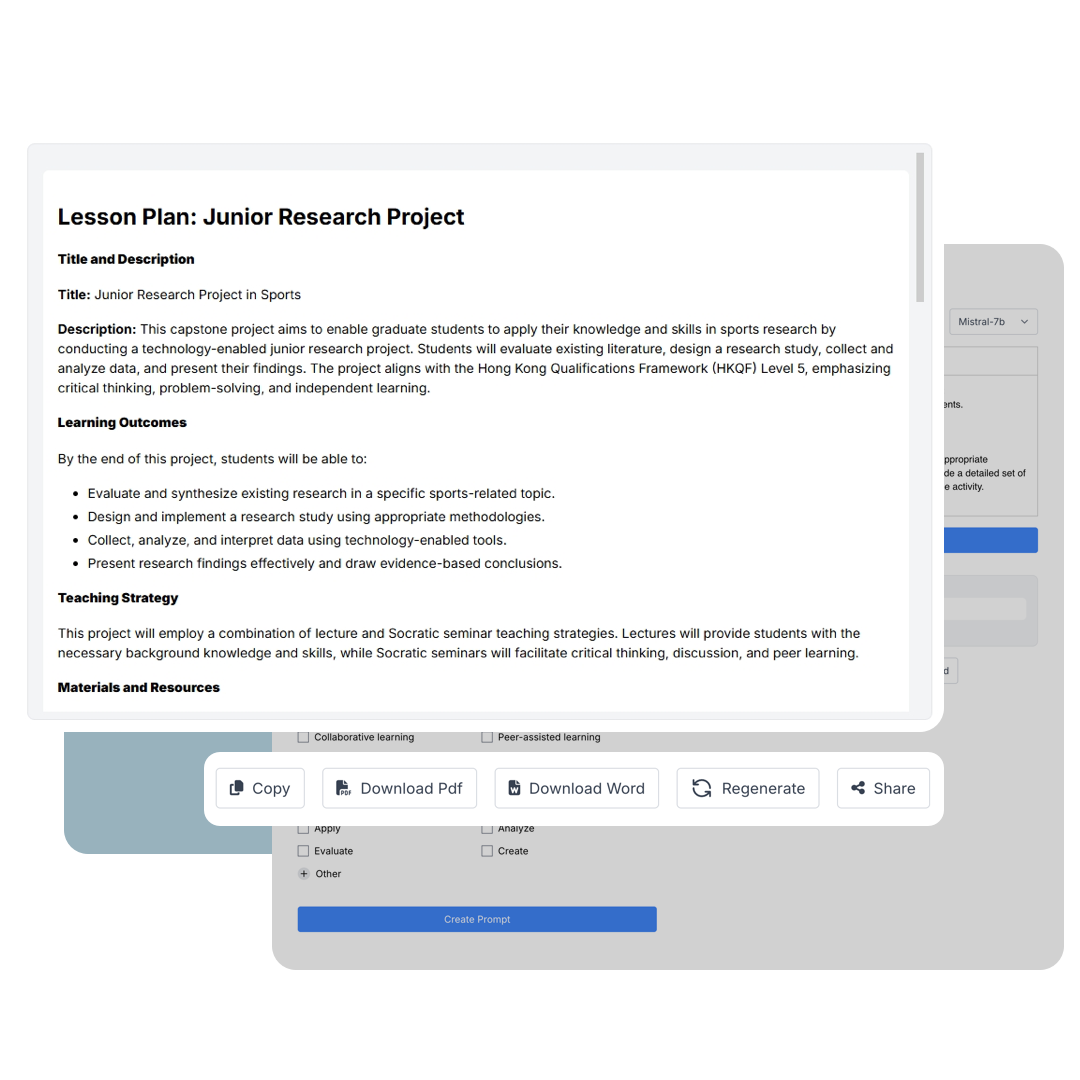
Step 3: Finalise, Download, and Share
-
Your customised learning activity has been generated. You can:
- Copy it as text
- Download it as a PDF
- Download it as a Word document
- Regenerate the content
- Share it via social media or email
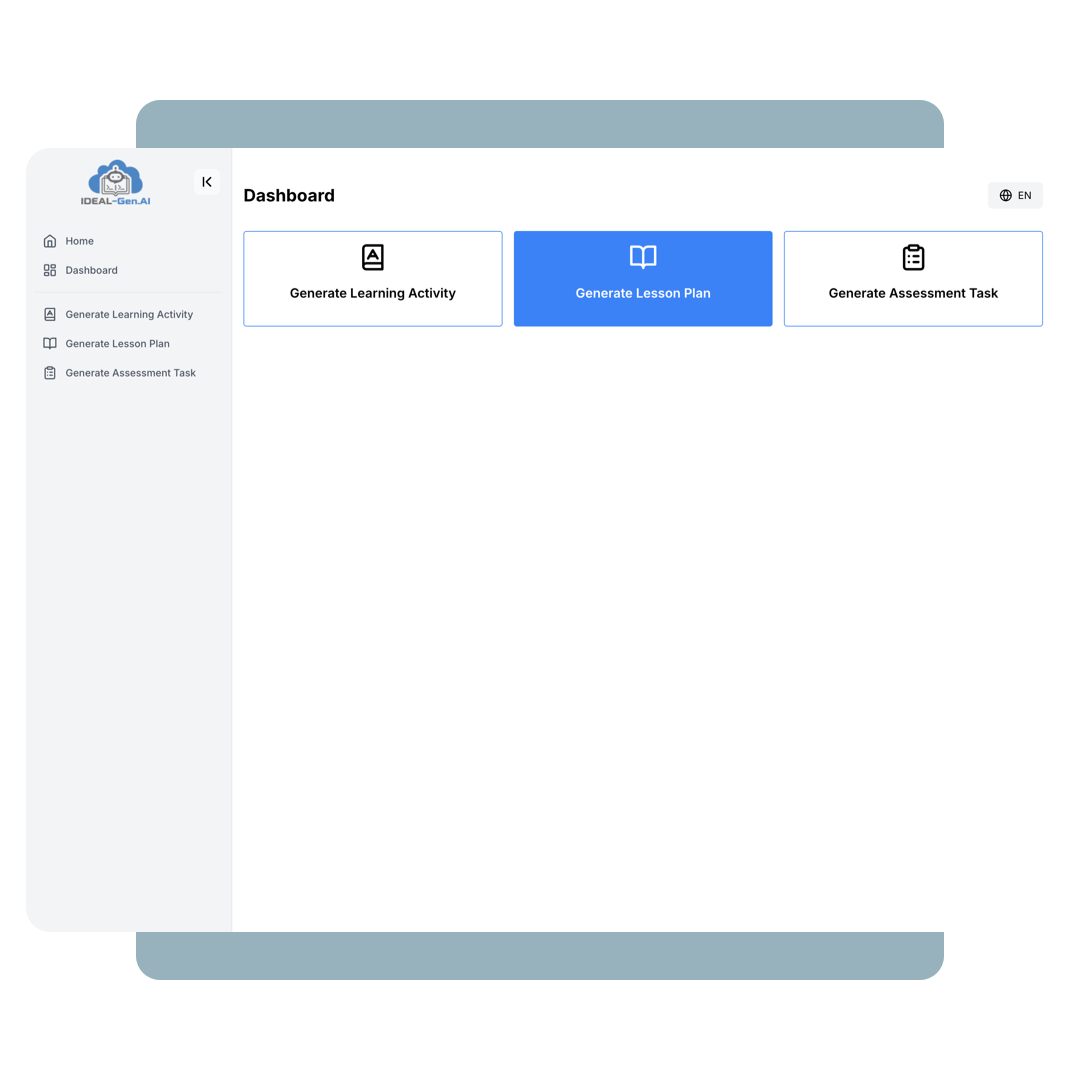
II. Generate Lesson Plan
Click "Generate Lesson Plan".
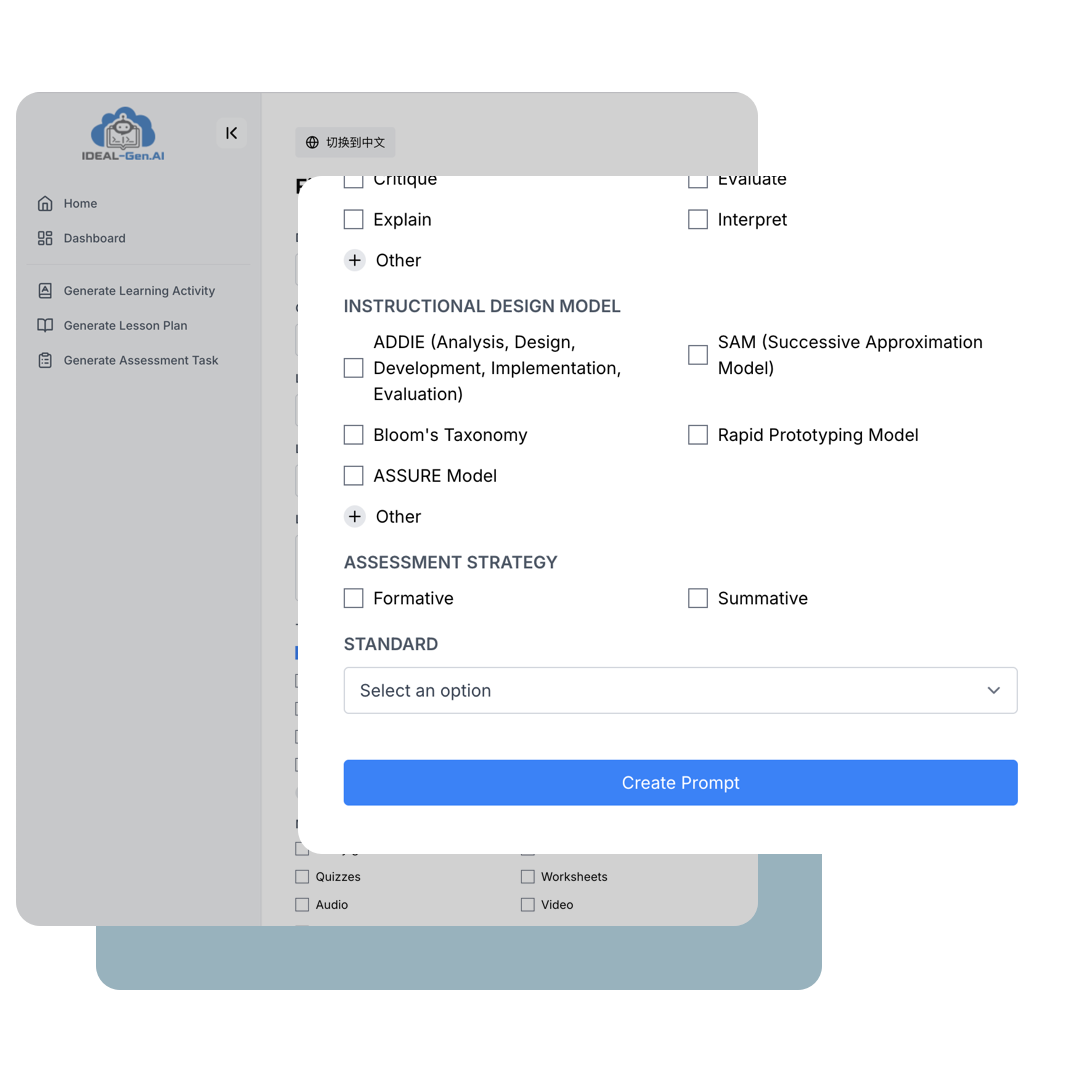
Step 1: Define Course Information and Teaching Methods
- Select the degree level.
- Enter the course title, lesson title, lesson topic, and learning outcomes.
- Select the teaching strategy.
- Select the materials, delivery method, Bloom verb selection, instructional design model, assessment strategy, and standard.
- Click "Create Prompt".
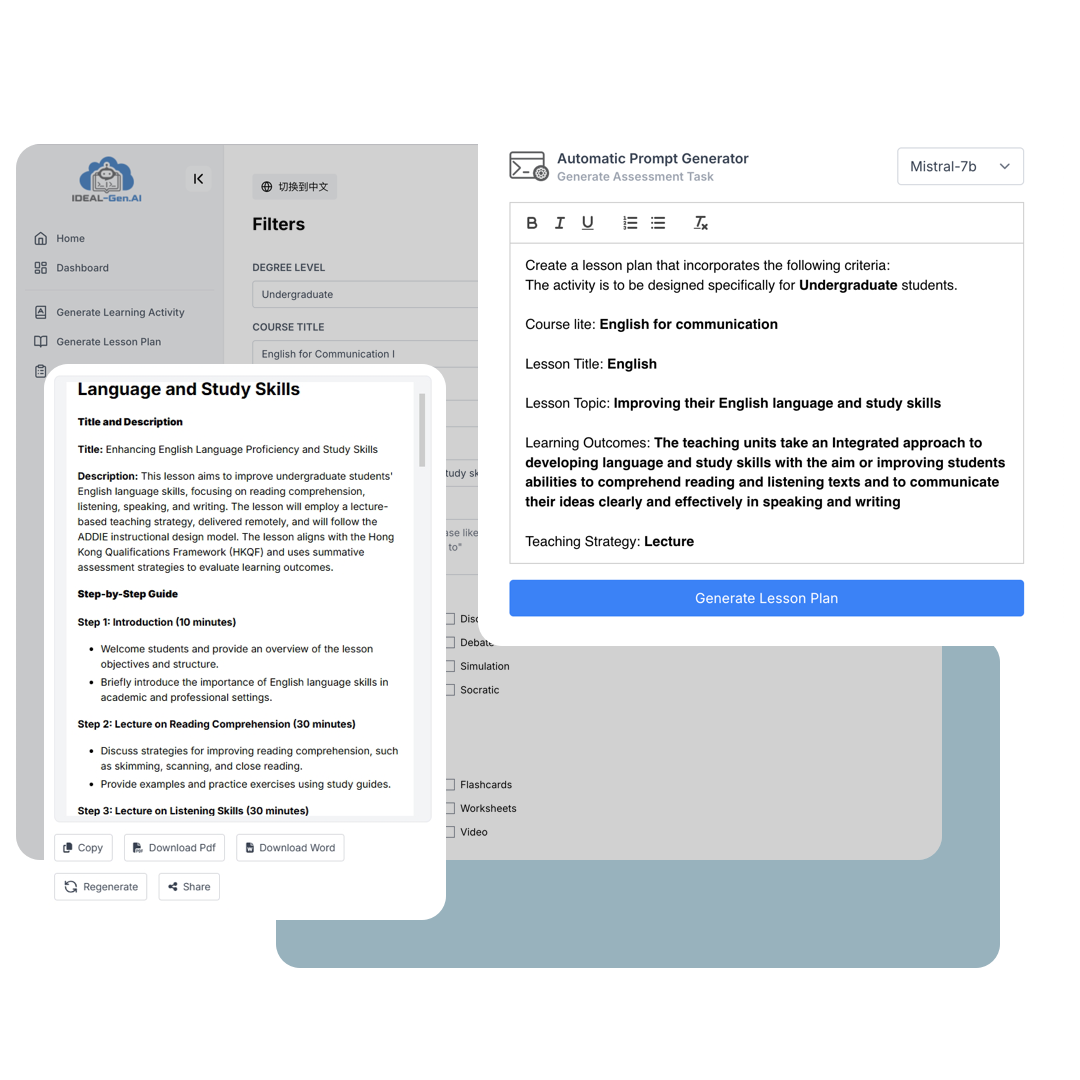
Step 2: Generate and Distribute Your Lesson Plan
- Click "Generate Lesson Plan".
- For the final step, click "Copy", "Download PDF", "Download Word", "Regenerate" or "Share".
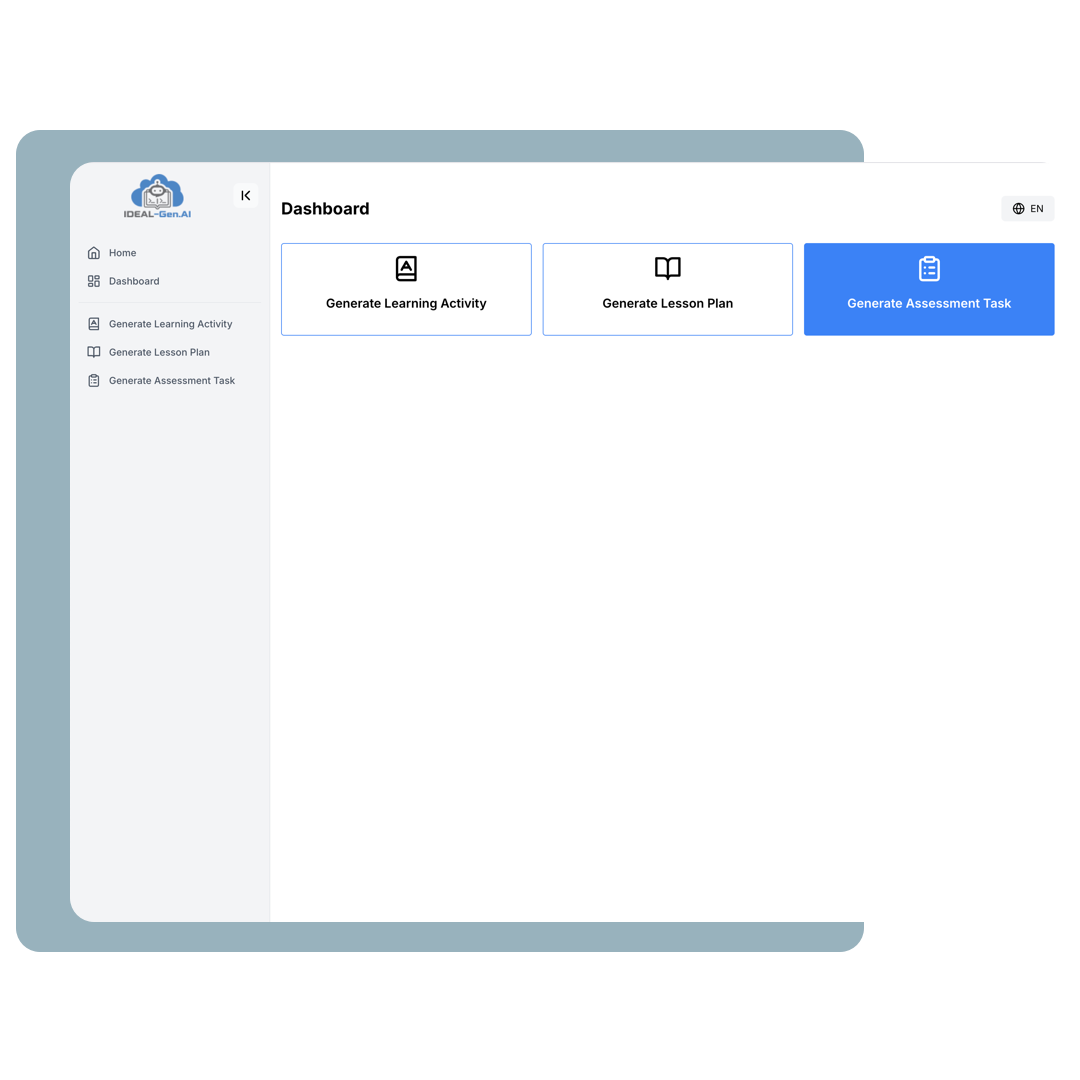
III. Generate Assessment Task
Click "Generate Assessment Task".
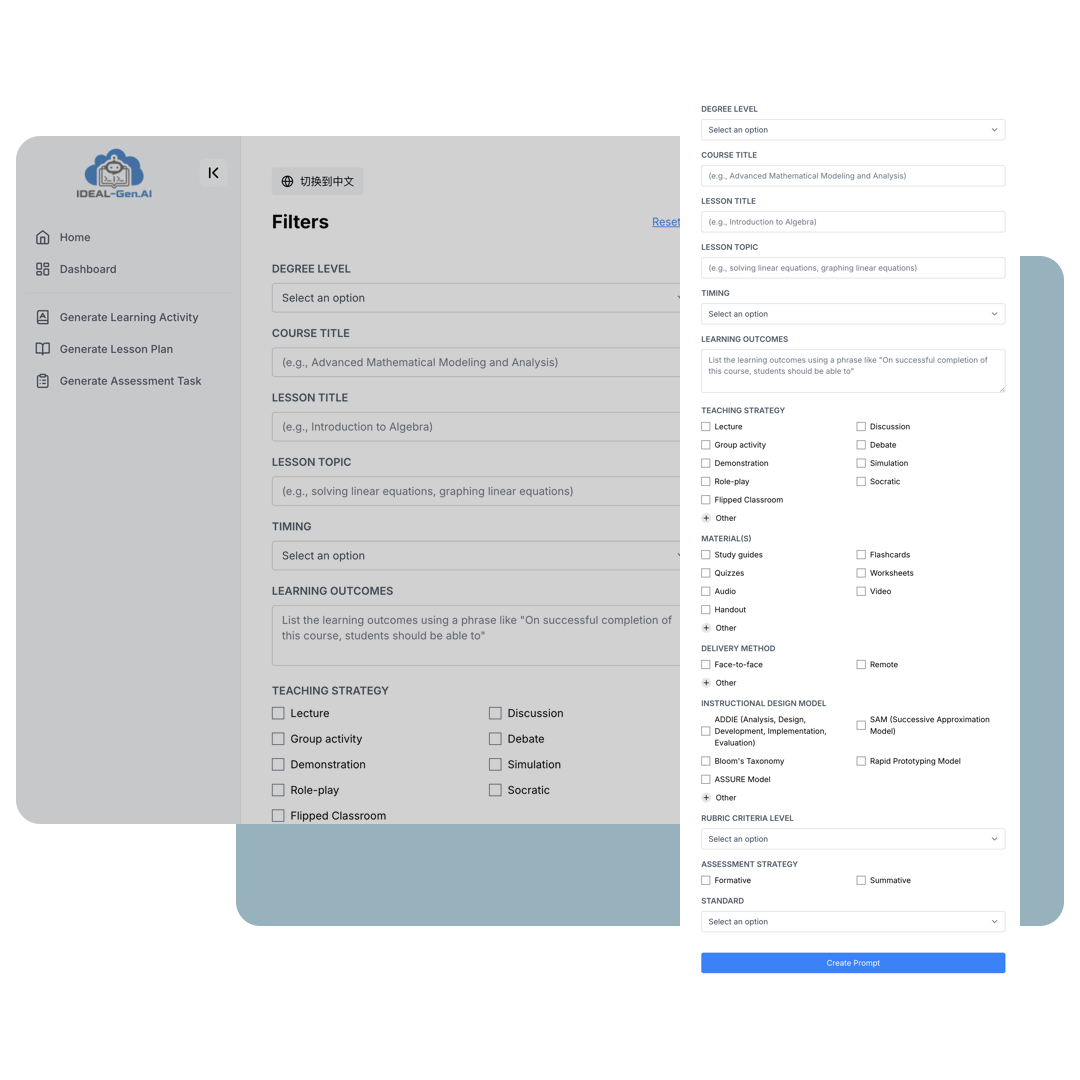
Step 1: Define Course Information and Teaching Methods
- Select the degree level.
- Enter the course title, lesson title, lesson topic, and learning outcomes.
- Select the timing.
- Select the teaching strategy.
- Select the materials, delivery method, instructional design model, rubric criteria level, assessment strategy, and standard.
- Click "Create Prompt".
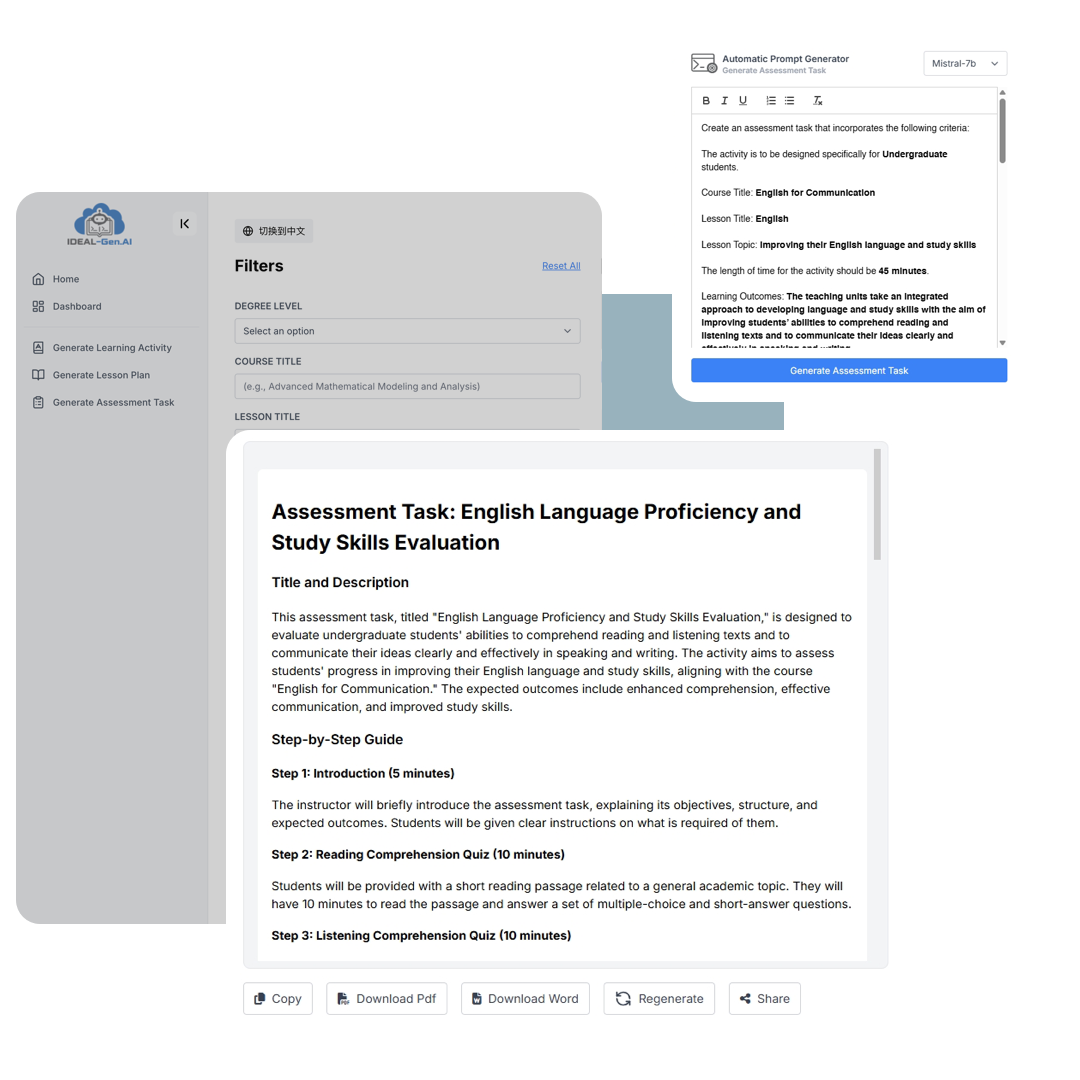
Step 2: Finalise and Share the Assessment Task
- Click "Generate Assessment Task".
- For the final step, click "Copy", "Download PDF", "Download Word", "Regenerate" or "Share".